MacWhisper is an incredible app, but it is strictly Mac-only. ScribeFlux PRO brings the exact same local, privacy-first Whisper experience to Windows PCs with full NVIDIA RTX GPU acceleration — plus global dictation auto-paste and offline speaker diarization.
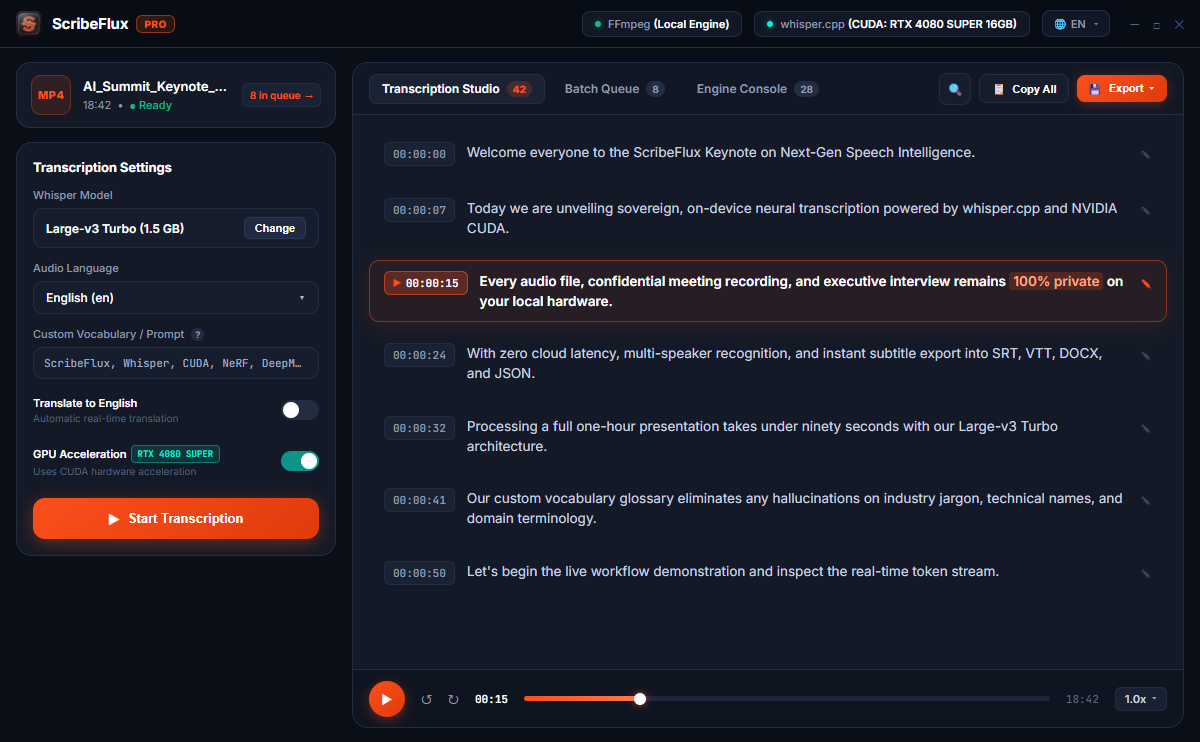
Why settle for macOS exclusivity? See how ScribeFlux PRO matches MacWhisper feature-for-feature and introduces desktop dictation and cross-platform flexibility.
| Feature |
ScribeFlux PRO
Cross-Platform Leader
|
MacWhisper Pro |
|---|---|---|
| Windows Support (PC) Windows 10 & 11 64-bit compatibility | ✓ 100% Native Windows Support | ✗ No Windows Version (Mac Only) |
| NVIDIA CUDA Acceleration Harness GeForce RTX 3060/4070/4090 tensor cores | ✓ Native CUDA 12 (10x-15x real-time) | ✗ N/A (Apple Metal only) |
| macOS Support (Apple Silicon) M1, M2, M3, M4 & Intel Mac parity | ✓ Native Apple Metal GPU | ✓ Native Apple Metal |
| System-Wide Voice Dictation Global hotkey with detached floating HUD & auto-paste | ✓ Yes, auto-pastes into Word, Slack, IDE | ✗ No auto-paste dictation HUD |
| Offline Speaker Diarization Detect and label distinct speakers without cloud | ✓ Yes, local speaker segmentation | ⚠️ Limited speaker detection |
| OpenAI Whisper Models Tiny, Base, Small, Medium, Large-v3, Turbo | ✓ All models including Large-v3 Turbo | ✓ All models supported |
| Multi-Platform License Sharing Use 1 license on both your Windows PC and Mac laptop | ✓ Transferable between Windows & Mac | ✗ Mac only |
| Lifetime Pricing One-time payment without recurring fees | 💎 From $24.99 - $39.99 (Lifetime) | €59 – €64 (Lifetime Pro) |
Don't let your graphics card sit idle. ScribeFlux PRO runs highly optimized C++ inference directly on your CUDA cores.
| Hardware Setup | Whisper Model | Audio Length | Transcription Time | Speed Factor |
|---|---|---|---|---|
| NVIDIA RTX 4070 (Desktop) | Large-v3 Turbo | 60 min (1 Hour) | 2 min 14 sec | ~27x Real-Time |
| NVIDIA RTX 3060 (12GB) | Whisper Small | 60 min (1 Hour) | 3 min 40 sec | ~16x Real-Time |
| Apple Silicon M3 Pro | Large-v3 Turbo | 60 min (1 Hour) | 2 min 50 sec | ~21x Real-Time |
| Intel Core i7-13700K (CPU Mode) | Whisper Base | 60 min (1 Hour) | 4 min 12 sec | ~14x Real-Time |
Test local transcription on your Windows PC right now. Free models included forever.
Everything you need to know about switching from MacWhisper or using ScribeFlux on PC.