Tired of Windows built-in voice typing failing on punctuation or cloud dictation tools charging monthly fees? ScribeFlux PRO brings state-of-the-art OpenAI Whisper models to your desktop with NVIDIA CUDA 12 acceleration, instant global auto-paste, and zero internet requirement.
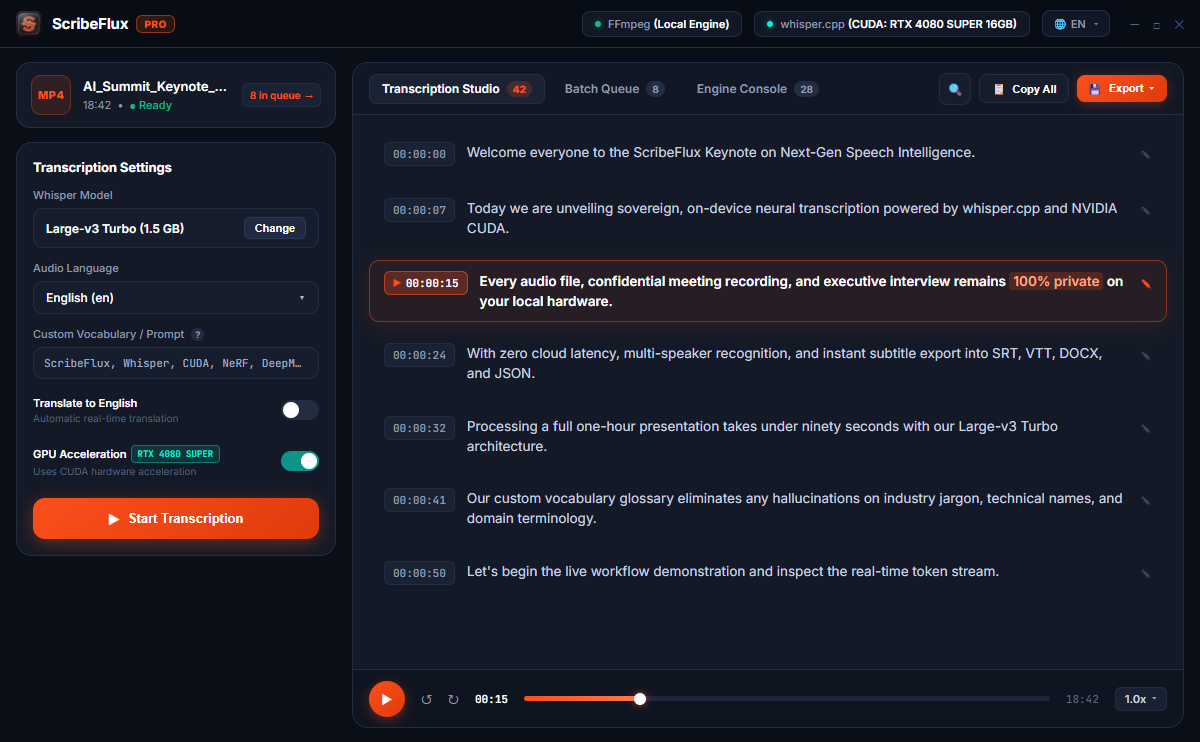
Dictate in Word, Slack, Notion, Discord, VS Code, or any browser without touching a cloud server.
Press a customizable hotkey (like F9, Ctrl+Space, or Alt+D) anywhere in Windows. ScribeFlux instantly awakens in the background.
A sleek, detached HUD appears over your active application displaying real-time audio soundwave animation and live recognized text.
Release your hotkey or finish speaking. ScribeFlux runs inference on your GPU with whisper.cpp and instantly types clean, punctuated text right where your cursor was blinking.
Optimized from the ground up for Windows 10 & Windows 11 64-bit systems.
| Hardware Configuration | ScribeFlux PRO Acceleration | Standard Windows Voice Typing |
|---|---|---|
| NVIDIA GeForce RTX (30/40 Series) RTX 3060, 4060, 4070, 4080, 4090 | ✓ Native CUDA 12 (Sub-second latency) | ✗ Ignores NVIDIA GPU tensor cores |
| Intel & AMD Modern Multi-Core CPUs Core i5/i7/i9, Ryzen 5/7/9 | ✓ Multi-threaded AVX2 instructions | Basic cloud streaming |
| Internet Connection Required Plane mode, remote travel, air-gapped PC | ✓ 100% Offline (Zero internet needed) | ✗ Disconnects when offline |
| Custom Vocabulary & Jargon Medical, legal, programming syntax | ✓ Whisper prompt glossary injection | ✗ Generic dictionary only |
Download ScribeFlux Free for Windows 10 & 11 and start typing with your voice today.
Common questions about offline voice typing with ScribeFlux PRO.